MARSTEK CT002 Smart Meter
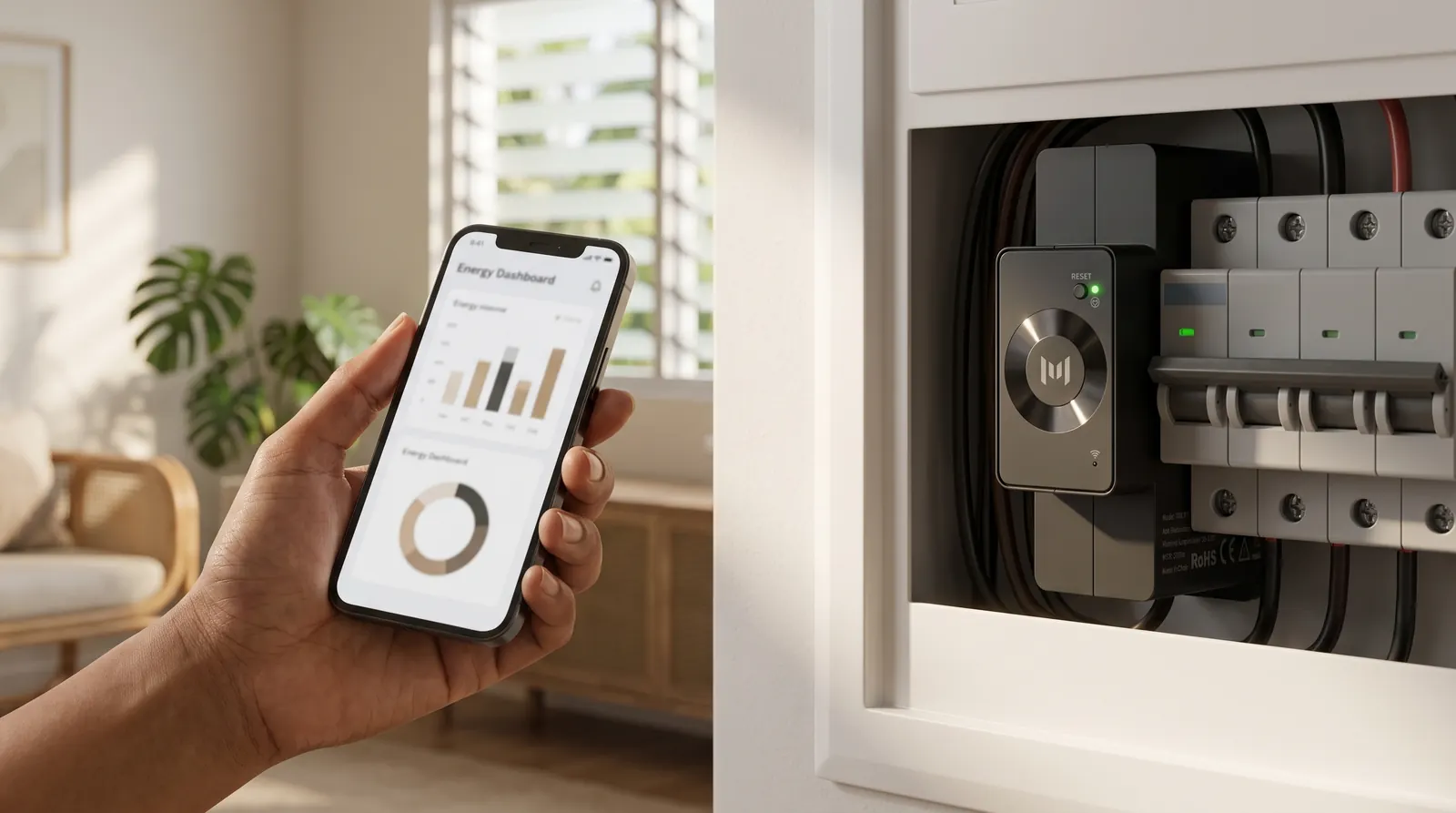
What it is: the CT002 is a DIN-rail smart energy meter with current-sensor inputs that measures household power in real time on up to three phases (it also works on single-phase). It reports over Wi-Fi / Bluetooth to the MARSTEK app and to compatible MARSTEK storage, which uses the readings to decide when to charge or discharge.
Who it's for: every VENUS E 3.0 or VENUS E Mini customer who wants Self-Consumption (store surplus solar, cover household load, anti-feed-in) or AI Optimization. Both modes need a CT/meter.
Best for
- Enabling Self-Consumption on VENUS E: the unit discharges when the CT sees load and charges when it sees solar export.
- Anti-feed-in / zero-export setups with VENUS E three-phase total compensation.
- Monitoring total and per-phase power in the MARSTEK app.
Key features
From the CT002 datasheet (page 1):
- Avoid energy wastage with real-time monitoring.
- Easy to install; suitable for most home distribution boxes (DIN-rail form factor).
- Bluetooth / Wi-Fi connections; control power with the smart app.
- Better compatibility with MARSTEK products.
- Three-phase power sampling, also applicable to single-phase.
From the VENUS E manuals:
- The VENUS E 3.0 and VENUS E Mini are "fully compatible with MARSTEK's own CT002 and CT003 meters", supporting Self-Consumption and AI Optimization.
- System diagrams show the CT002 at the main panel, giving "Anti Feed-in, 100% Self-consumption Guaranteed".
- VENUS E error code 5D2, CT connection abnormality: check that the CT is properly connected to the home network and that the network is stable. See VENUS E troubleshooting.
Product views
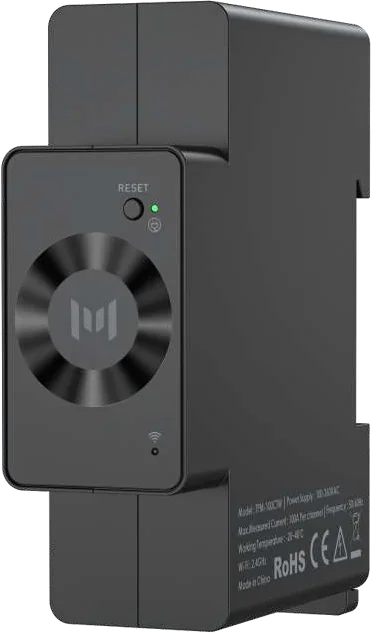
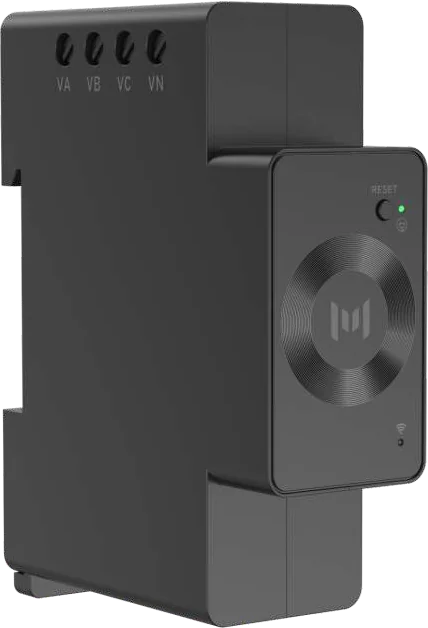
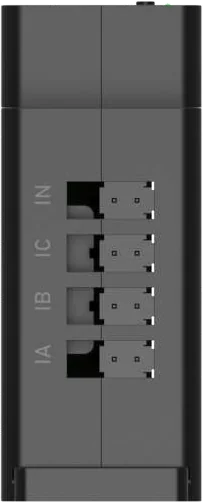
Specifications
Source: CT002 Smart Meter datasheet, spec page (transcribed from the rendered image).
| Specification | Value |
|---|---|
| Model | CT002 |
| Wi-Fi protocol | 802.11b/g/n (20) |
| Bluetooth | 5.2 |
| RF band | 2.4 GHz |
| Power supply (AC) | 100–260 V, 50/60 Hz |
| Supply voltage deviation | ±10% |
| Overvoltage level (VA VB VC VN) | CAT II, 3 × 280 VAC |
| Device power consumption | <2 W |
| Voltage measurement (RMS) | 100–260 V |
| Measuring voltage frequency | 50 Hz / 60 Hz |
| Voltage measurement accuracy | ±1% |
| Maximum single-phase measurement current | 100 A |
| Current measurement accuracy | ±1% (5–100 A) |
| Dimensions | 65.4 × 26.5 × 83 mm |
| Weight | 0.2 kg |
| Enclosure colour | Black |
| Enclosure material | Plastic |
| Operating temperature | -20 °C to 45 °C |
The e-Catalog describes the CT002 as a "three-phase smart energy meter with up to 100 A per phase", product dimension about 6.5 × 8.3 × 2.6 cm. That is consistent with the datasheet.
The CT002 power supply and measurement range is 100–260 V, 50/60 Hz, which covers the Philippine 220 V / 60 Hz grid.
The datasheet does not list the CT clamp type, number of clamps in the box, or cable lengths, and no CT002 installation manual is in the Drive source set. The datasheet links to the product manual by QR code. Get that manual before installing, and do not guess wiring from the marketing images.
Price (SRP)
The CT002 is not listed on the current SRP flyer in Drive. Ask Silvera Solar Power for pricing and whether it is bundled with VENUS E. See the price list.
Installation & safety
- The CT002 wires into the home distribution box: voltage inputs VA / VB / VC / VN (CAT II, 3 × 280 VAC) and current-sensor inputs IA / IB / IC / IN.
- This is work on live terminals inside the distribution box. The VENUS E manuals say to turn off power before installing and not to install or remove cables while energised. They also require that only qualified professionals or properly trained personnel install, operate or maintain the system, and that all electrical connections comply with local electrical codes. The MARS I PLUS and V6000 manuals also say users must not tamper with the smart meter or CT after professional installation.
- Follow the CT002 product manual (QR code on the datasheet) for clamp orientation and phase assignment.
- Operating temperature -20 °C to 45 °C. The CT002 uses 2.4 GHz Wi-Fi. The VENUS E manual's code 5D2 says to check that the CT is properly connected to a stable home network.
Related tutorials
- VENUS E 3.0 installation (includes meter setup)
- VENUS E app & working modes
- VENUS E troubleshooting (code 5D2)
Sources
- CT002 Smart Meter datasheet (Drive): spec table, features, renders, hero image
- VENUS E 3.0 user manual, Philippine edition (Drive): meter compatibility, system layout, error 5D2
- VENUS E Mini user manual (Drive): meter compatibility
- MARSTEK AI e-Catalog 2026 (Drive): catalog description (see catalog capture)